Time that feels gentle, not stressful.
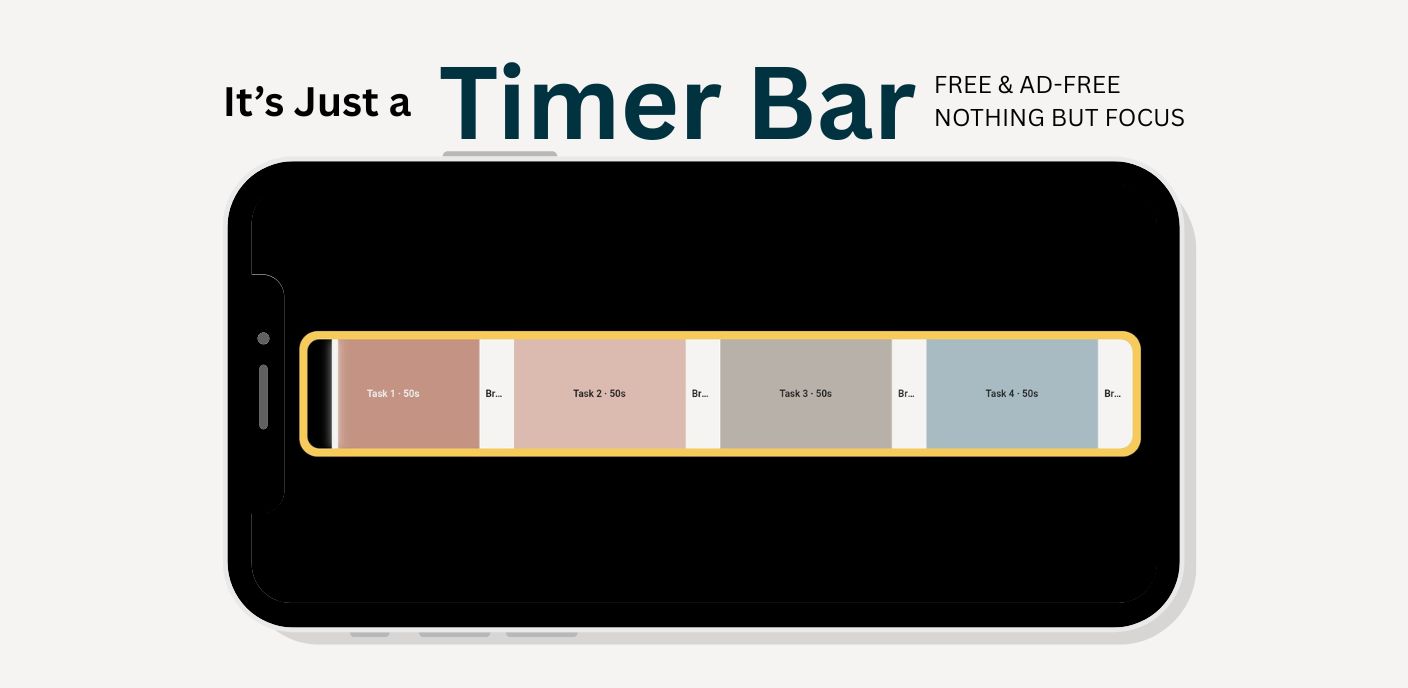
Timer Bar is a minimalist visual timer that turns your tasks and breaks into a calm horizontal bar — perfect for work from home, study sessions, ADHD-friendly routines, and home workouts.
What Timer Bar can do for you
Timer Bar is built around the way your day actually flows — tasks, breaks, workouts, lessons, deep work blocks — not just one single countdown.
🟩Visual bar with two modes
Choose how you like to see time:
- Fill mode — the bar gently fills as you progress
- Countdown mode — the bar reveals what’s left
No busy dashboards. Just a clean bar that anchors your attention.
⏱️Segment-based timing
Build your own routine with tasks and breaks:
- Up to 48 segments per session
- Give each step its own name and note
- Drag to reorder, duplicate, and refine
Perfect for study blocks, lesson plans, training cycles, or creative sprints.
🍅2-hour Pomodoro template
One tap loads a full 2-hour Pomodoro cycle:
- 4 × 25-minute focus blocks
- 4 × 5-minute breaks
- Undo protection if you change your mind
🎨Three clean themes
Choose the mood that fits your energy:
- Bright — high-contrast focus
- Warm — soft, cozy tones
- Grey — minimal black & white
Works beautifully in landscape on tablets and desktop.
🔔Gentle alerts only
Timer Bar respects your nervous system:
- 5-second soft countdown beeps before a segment ends
- Optional start chime
- Optional vibration and desktop notifications
🧊Minimal mode
Switch to Minimal mode for presentations, study-with-me sessions, or when you just want the bar — nothing else.
- No clutter, no controls on screen
- Perfect as a second-screen timer
Built for calm, structured days
Whether you’re studying, working from home, training, or helping kids stay on track, Timer Bar is flexible enough to fit your rhythm.
🎓Students & self-learners
Use Timer Bar as a quiet study companion.
- Break long sessions into manageable blocks
- Pair with active recall or spaced repetition
- Keep an eye on progress without obsessing over numbers
💻WFH & knowledge workers
Give your day structure without heavy project tools.
- Design your own deep work sprints
- Use breaks to stretch, hydrate, reset
- Stay on track without pop-ups and ads
🧠ADHD-friendly focus
Many users with ADHD find visual bars easier to relate to than ticking clocks.
- See “where you are” in the session at a glance
- Use short segments to reduce pressure
- Customize your own focus/break pattern
🧘Fitness & home training
Turn your routines into repeatable flows.
- Set up intervals for yoga, HIIT, or pilates
- Use notes to store cues or form reminders
- Keep hands free — just glance at the bar
From blank bar to fully structured session
Timer Bar keeps the controls simple so your brain can focus on the work, not the tool.
1️⃣Create your segments
Add tasks and breaks in the order you want them:
- Set duration in minutes or seconds
- Label each step clearly
- Optionally add a short description for context
2️⃣Pick your mode & theme
Choose Fill or Countdown mode, and a theme that matches your environment. White, black, or warm — Timer Bar stays clean and unobtrusive.
3️⃣Press Start
A gentle chime (if enabled) marks the start. The bar animates in real-time based on your total duration and current segment.
4️⃣Let it guide your pace
Timer Bar handles segment transitions, countdown alerts and notifications. You only need to glance at the bar to know where you are.
Questions, answered.
Help keep Timer Bar free and ad-free
If Timer Bar has helped your work, study, or daily routines, you can support future updates and maintenance with a small tip.
🍺Buy me a beer
Your support goes directly into keeping Timer Bar running as a quiet, independent tool — no dark patterns, no data resale, no manipulative engagement loops.
Timer Bar is a visual focus timer for work from home, students, ADHD users, and home training routines, designed to make time feel less heavy and more human.